> For the complete documentation index, see [llms.txt](https://docs.centousplugins.com/database-entries-form-7-pro/llms.txt). Markdown versions of documentation pages are available by appending `.md` to page URLs; this page is available as [Markdown](https://docs.centousplugins.com/database-entries-form-7-pro/managing-entries.md).

# Managing Entries

#### Explanation of Each Tab

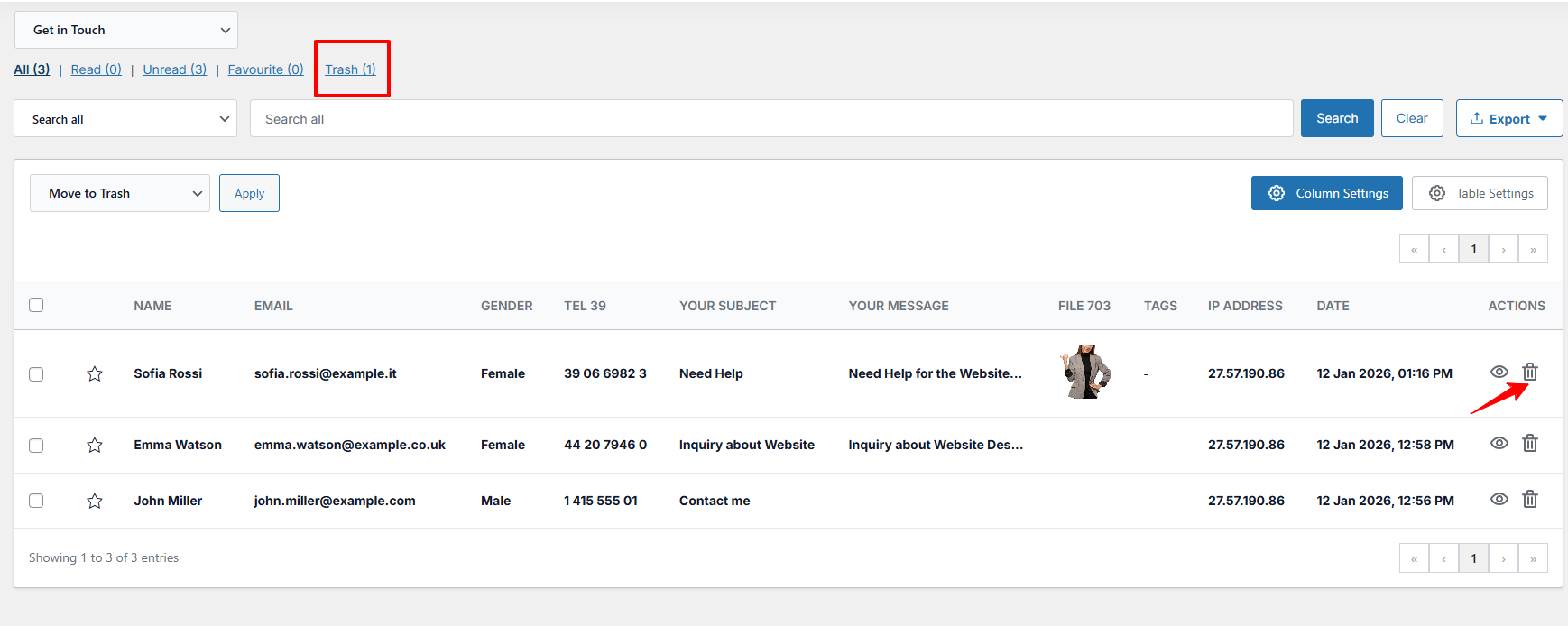
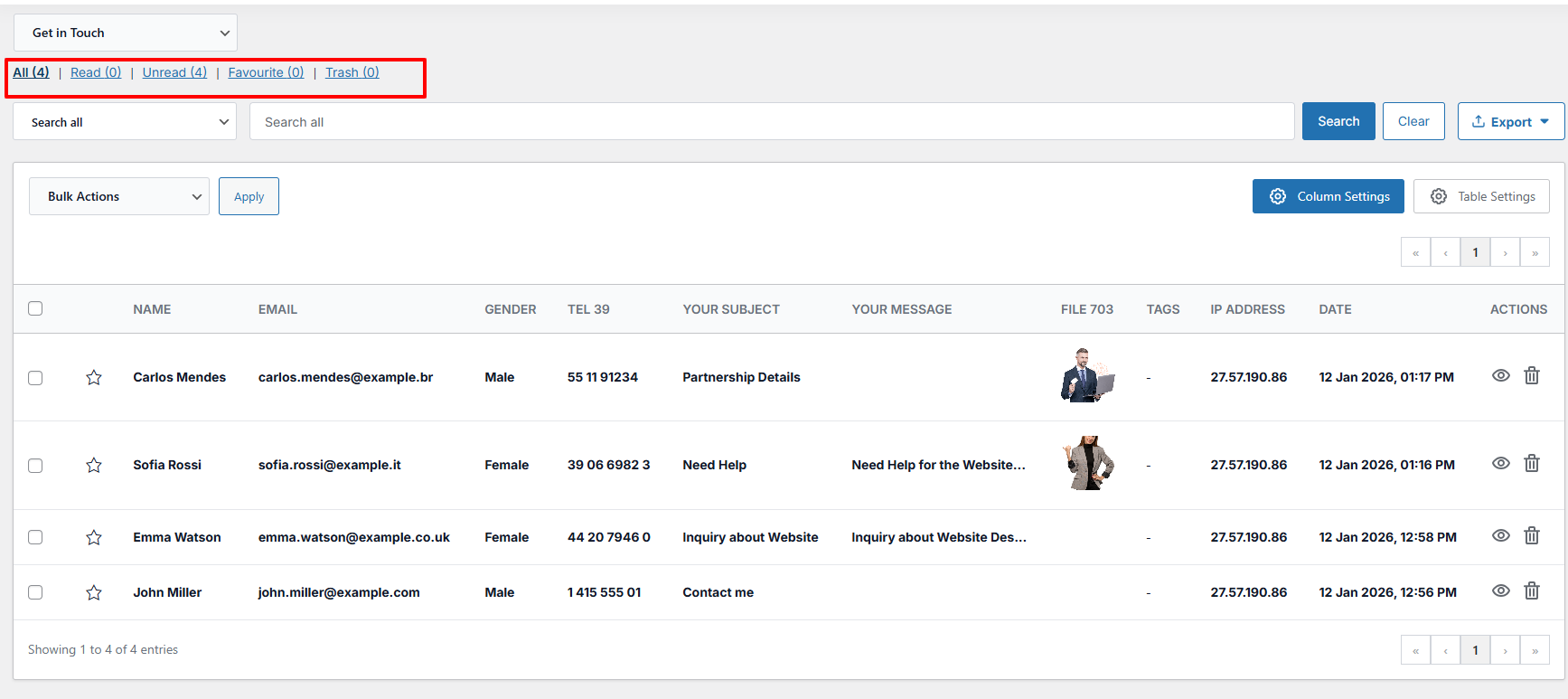
**All (8)**

This means there are a total of 4 messages/entries in the system — including both read and unread.

**Read (5)**

This means all 5 messages have already been opened, so none of them are new.

**Unread (3)**

This means there are 3 new or unread messages.

**Trash (1)**

This means there are 1 deleted messages in the Trash.<br>

<figure><img src="https://3941148224-files.gitbook.io/~/files/v0/b/gitbook-x-prod.appspot.com/o/spaces%2FCG9b1V6SalCGy8Q3y8Ti%2Fuploads%2FST7CM6thhNmO0uLkRhrl%2Ffilter.png?alt=media&amp;token=c1f1dfe0-6d5e-4f11-b34b-a9ce65bedf2c" alt=""><figcaption></figcaption></figure>

* To trash an entry, select the entry and click the **Delete icon**. This moves the entry to the trash, where it can be restored later if needed.

<figure><img src="https://3941148224-files.gitbook.io/~/files/v0/b/gitbook-x-prod.appspot.com/o/spaces%2FCG9b1V6SalCGy8Q3y8Ti%2Fuploads%2FNdtFohu0RMjTz0Joezlh%2Ftrash.png?alt=media&amp;token=0de1a048-c199-49a5-952d-4ddd07a11cc0" alt=""><figcaption></figcaption></figure>

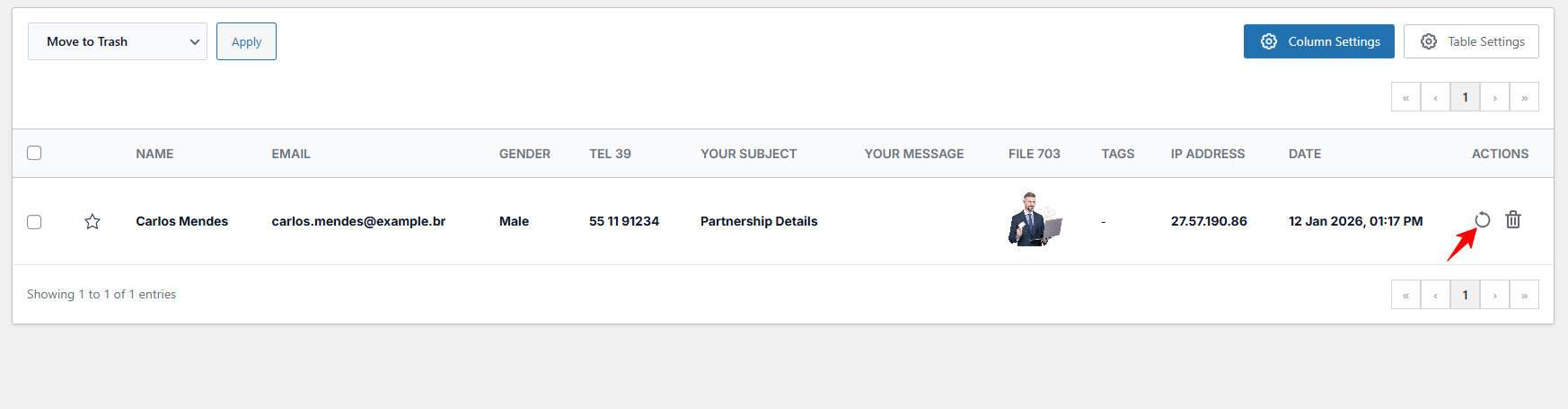
* To restore a trashed entry, go to the Trash section, select the entry, and click **Restore icon**.

<figure><img src="https://3941148224-files.gitbook.io/~/files/v0/b/gitbook-x-prod.appspot.com/o/spaces%2FCG9b1V6SalCGy8Q3y8Ti%2Fuploads%2FgAeuof7OkhP9MTVomVXz%2Frestore.png?alt=media&amp;token=23618e17-de0f-4d21-91b6-5007dea758ff" alt=""><figcaption></figcaption></figure>

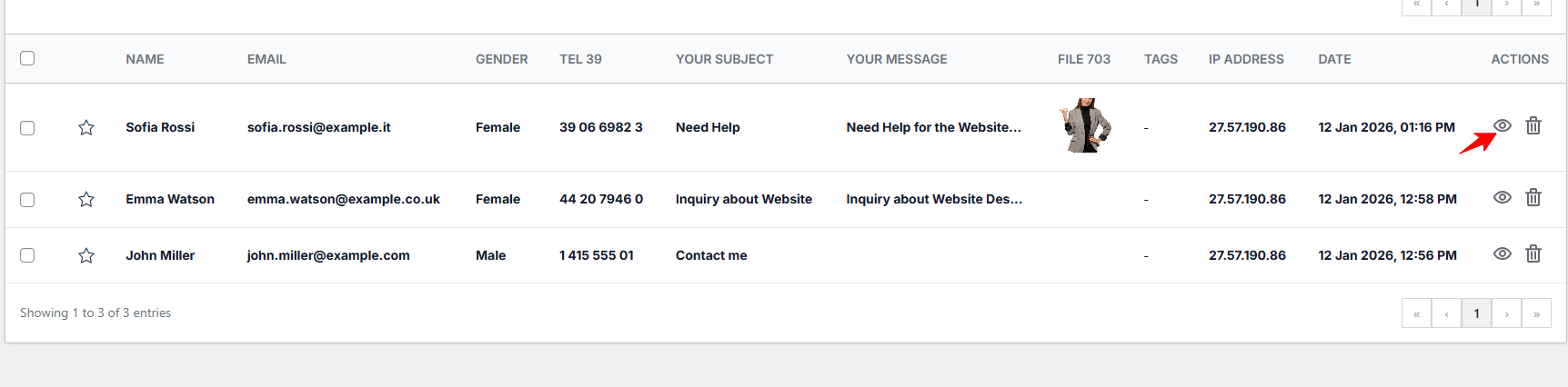
* Click on the **Eye icon** next to any entry to see the full details of the submission.
<figure><img src="https://3941148224-files.gitbook.io/~/files/v0/b/gitbook-x-prod.appspot.com/o/spaces%2FCG9b1V6SalCGy8Q3y8Ti%2Fuploads%2FDfRw0KtucMQB9J3dSokp%2Fview.png?alt=media&amp;token=58946716-0d9b-407b-a39e-1d3d08e00f36" alt=""><figcaption></figcaption></figure>